找到
10
篇与
项目
相关的结果
- 第 2 页
-
 蓝奏云 python sdk库 蓝奏云 Python 库使用文档 1. 配置与初始化 首先,准备 config.yaml 配置文件,内容示例: lanzou: username: "你的用户名" password: "你的密码"在代码中读取配置并初始化蓝奏云会话: import yaml from Lanzou import LanzouSession # 读取配置文件 with open("config.yaml", "r", encoding="utf-8") as f: config = yaml.safe_load(f) lanzou_conf = config["lanzou"] # 创建蓝奏云基础实例 session = LanzouSession() # 登录获取cookie status, result = session.login(lanzou_conf["username"], lanzou_conf["password"])2. 文件管理 2.1 创建文件管理实例 from Lanzou import LanzouFileManager file_manager = LanzouFileManager(session)2.2 重命名文件 status, result = file_manager.rename_file("文件ID", "新文件名.png") # 返回示例: # True { # "zt": 1, # "info": "重命名成功", # "text": None, # "dat": None # } # False { # "zt": 0, # "info": "会员已过期,无法使用", # "text": None, # "dat": None # }2.3 删除文件 status, result = file_manager.delete_file("文件ID") # 返回示例: # True { # "zt": 1, # "info": "已删除", # "text": None, # "dat": None # }2.4 上传文件 status, result = file_manager.upload_file("本地文件路径", "上传文件名.txt", "目标文件夹ID") # 返回示例: # True { # "zt": 1, # "info": "上传成功", # "text": [ # { # "icon": "txt", # "id": "246766304", # "f_id": "iYYAN31w12je", # "name_all": "上传测试.txt", # "name": "上传测试.txt", # "size": "18.0 B", # "time": "0 秒前", # "downs": "0", # "onof": "0", # "is_newd": "https://wwa.lanzouq.com" # } # ] # }2.5 移动文件 status, result = file_manager.move_file("文件ID", "目标文件夹ID") # 返回示例: # True { # "zt": 1, # "info": "移动成功", # "text": None, # "dat": None # }2.6 设置文件密码 status, result = file_manager.set_file_pwd("文件ID", "密码", "1") # 返回示例: # True { # "zt": 1, # "info": "设置成功", # "text": None, # "dat": None # }3. 文件夹管理 3.1 创建文件夹管理实例 from Lanzou import LanzouFolderManager folder_manager = LanzouFolderManager(session)3.2 创建文件夹 status, result = folder_manager.create_folder("文件夹名称", "父文件夹ID", "文件夹描述") # 返回示例: # True { # "zt": 1, # "info": "创建成功", # "text": "12296591", # "dat": None # }3.3 删除文件夹 status, result = folder_manager.delete_folder("文件夹ID") # 返回示例: # True { # "zt": 1, # "info": "删除成功", # "text": None, # "dat": None # }3.4 获取文件夹信息 status, result = folder_manager.get_folder_info("文件夹ID") # 返回示例: # True { # "zt": 1, # "info": { # "name": "测试2", # "des": "测试文件夹2", # "pwd": "1vo0", # "onof": "1", # "taoc": "", # "is_newd": "https://wwa.lanzouq.com", # "new_url": "https://wwa.lanzouq.com/b0rafeg1e" # }, # "text": None, # "dat": None # }3.5 修改文件夹信息 status, result = folder_manager.set_folder_info("文件夹ID", "新名称", "新描述") # 返回示例: # True { # "zt": 1, # "info": "成功修改", # "text": None, # "dat": None # }3.6 修改文件夹密码 status, result = folder_manager.set_folder_pwd("文件夹ID", "密码", "1") # 返回示例: # True { # "zt": 1, # "info": "修改成功", # "text": None, # "dat": None # }3.7 获取文件夹列表 status, result = folder_manager.get_folder_list("父文件夹ID") # 返回示例: # True { # "zt": 1, # "info": [ # { # "name": "测试", # "folder_des": "[测试文件夹]", # "folderid": 12295088, # "now": 1 # } # ], # "text": [ # { # "onof": "1", # "folderlock": "0", # "is_lock": "0", # "is_copyright": "0", # "name": "修改测试2", # "fol_id": "12295254", # "folder_des": "[修改测试文件夹2...]" # } # ], # "dat": null # }3.8 获取文件列表 status, result = folder_manager.get_file_list("文件夹ID") # 返回示例: # True { # "zt": 1, # "info": 1, # "text": [ # { # "icon": "jpg", # "id": "246767298", # "name_all": "EB9DA95273BC463B238A14588B7E6E8C.jpg", # "name": "EB9DA95273BC463B238A14588B7E6E8C.jpg", # "size": "342.3 K", # "time": "24 分钟前", # "downs": "0", # "onof": "0", # "is_lock": "0", # "filelock": "0", # "is_copyright": 0, # "is_bakdownload": 0, # "bakdownload": "0", # "is_des": 0, # "is_ico": 0 # } # ], # "dat": null # }4. 分享链接管理 4.1 创建分享管理实例 from Lanzou import LanzouShareManager share_manager = LanzouShareManager(session)4.2 获取文件分享链接 status, result = share_manager.get_file_link("文件ID") # 返回示例: # True { # "zt": 1, # "info": { # "pwd": "bofq", # "onof": "1", # "f_id": "it02C31w1u5i", # "taoc": "", # "is_newd": "https://wnwgongzuoshi.lanzouq.com" # }, # "text": None, # "dat": None # }4.3 获取文件夹分享链接 status, result = share_manager.get_folder_link("文件夹ID") # 返回示例: # True { # "zt": 1, # "info": { # "pwd": "bofq", # "onof": "1", # "f_id": "it02C31w1u5i", # "taoc": "", # "is_newd": "https://wnwgongzuoshi.lanzouq.com" # }, # "text": None, # "dat": None # }5. 他人分享链接下载 5.1 创建下载管理实例 from Lanzou import LanzouDownManager lanzouDown = LanzouDownManager()5.2 获取文件夹参数 status = lanzouDown.get_folder_params("分享链接URL")5.3 获取文件及文件夹列表 status, result = lanzouDown.get_file_list(url="分享链接URL", page=1)5.4 获取文件信息(包含下载链接) status, result = lanzouDown.get_file_info("文件分享链接", pwd="密码", final=True) # 返回示例: # True { # "title": "文件名称.apk", # "size": "57.0 M", # "author": "KongHen02", # "desc": "测试描述", # "url": "https://developer-oss.lanrar.com/file/...", # "down": "" # }5.5 通过下载链接获取下载直链 status, result = lanzouDown.get_final_url("下载链接")6. 打印输出 所有接口返回均为 (status, result),可直接打印: import json print(status, json.dumps(result, indent=4))7. 其他说明 各接口返回状态 status 为布尔值,True 表示成功,False 表示失败 返回结果中的 zt 字段:1 表示成功,0 表示失败 info 字段包含操作结果的详细信息 text 字段通常包含文件或文件夹的详细信息 分享链接管理需要用户登录后才能使用 他人分享链接下载不需要登录即可使用 如需更详细的参数说明或扩展用法,请参考源码或补充提问。 代码下载 cloud_driver_sdk 参考文献 openList
-
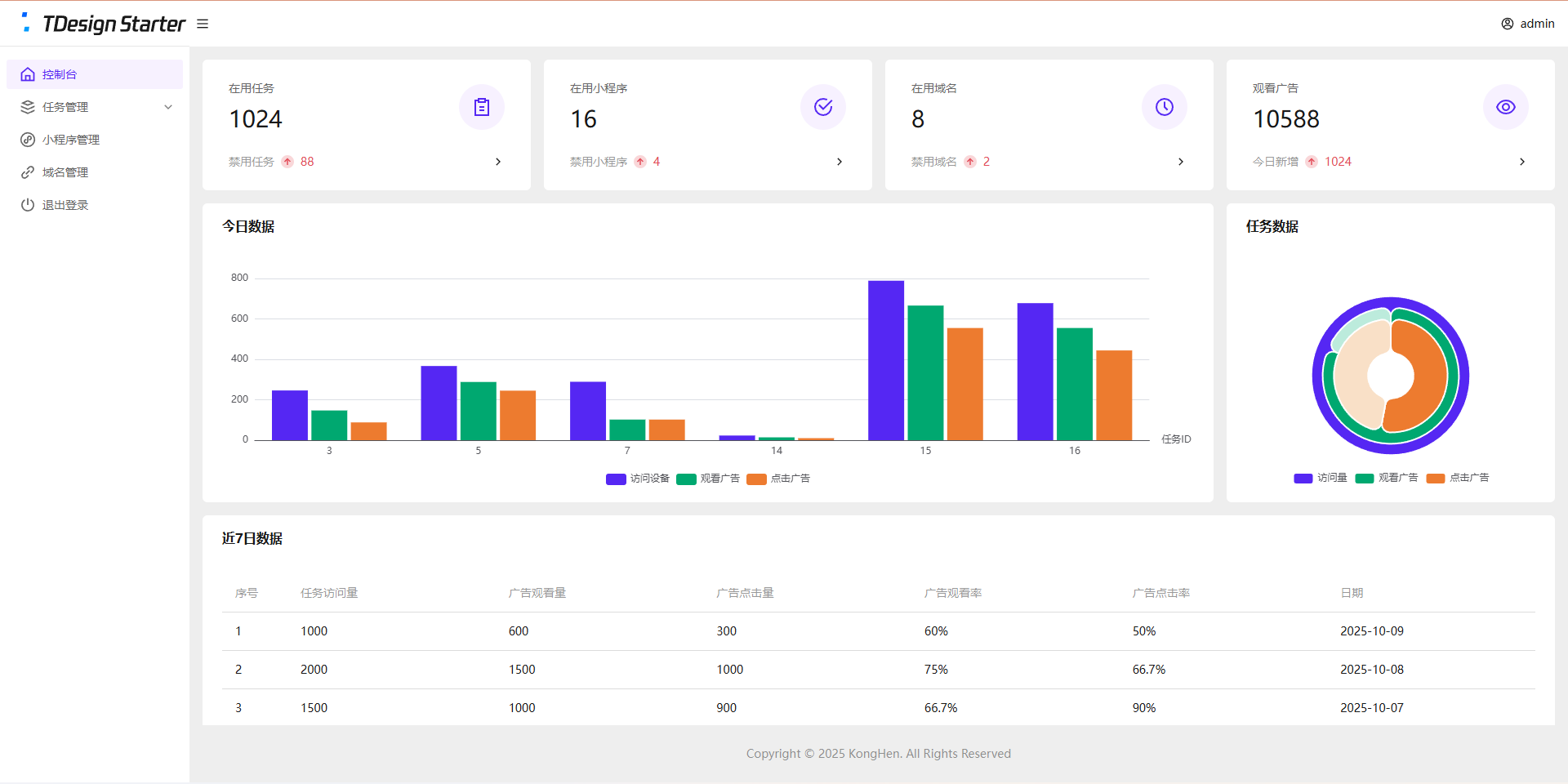
全新任务管理平台(流量主变现系统)开源 项目简介 项目结构 接口管理:PHP + Mysql 后台管理系统:Vue3 + ts + TDesign 任务单页:Vue3 小程序:uniapp + Vue2 变现说明 基础流程: 后台创建任务 复制任务链接 分享到社群或私域 用户打开任务页面 跳转到小程序观看广告 观看广告 下发奖励 收入说明 微信小程序官方广告收入 其他推广/广告收入 支持的奖励类型 链接奖励(适用于下载链接、付费文章等) 文本奖励(适用于通用卡密、密钥等) 卡密奖励(适用于一次性卡密) 系统演示 演示站点 空痕任务管理系统 后台数据为静态演示数据,无法更改 演示图片 管理后台 控制台图片 任务单页 任务单页图片 小程序 小程序图片 安装教程 管理后台 安装依赖 npm install 构建项目 npm run build 新建站网站及数据库 推荐:PHP 8.0 推荐:Mysql 5.7 开启SSL(必须) 配置伪静态 location / { try_files $uri $uri/ /index.html; } location /api/ { if (!-e $request_filename) { rewrite ^/(.*)$ /$1.php last; } } 配置跨域 配置跨域教程 请参考第1种解决方法 导入数据库 导入/后台/数据库/task_dev_xma_run.sql到Mysql数据库 修改/后台/api/config.php 管理账户密码 JWT配置(密钥、过期时间) 数据库配置 上传后台代码 上传/后台/dist目录中的全部文件到网站根目录 上传/后台/api目录到网站根目录 任务单页 安装依赖 npm install 修改/任务单页/src/App.vue中的接口信息 修改后台地址 修改视频教程地址 构建项目 npm run build 新建网站 静态网站 开启SSL(必须) 上传任务单页代码 上传/任务单页/dist目录中的全部文件到网站根目录 小程序 使用HbuildX打开小程序 在manifest.json中获取新AppID 修改/pages/user/view中的后台地址 修改/pages/user/work中的二维码 发行到微信小程序 在微信开发者工具中上传代码 登录微信小程序后台配置 配置request合法域名 https://task.dev.xma.run(更改为自己的后台地址) https://www.duitang.com 配置downloadFile合法域名 https://c-ssl.duitang.com 配置明文scheme拉起此小程序 pages/user/view;pages/user/work 代搭建/教学 请联系微信:KongHen02 项目地址 GitHub
-
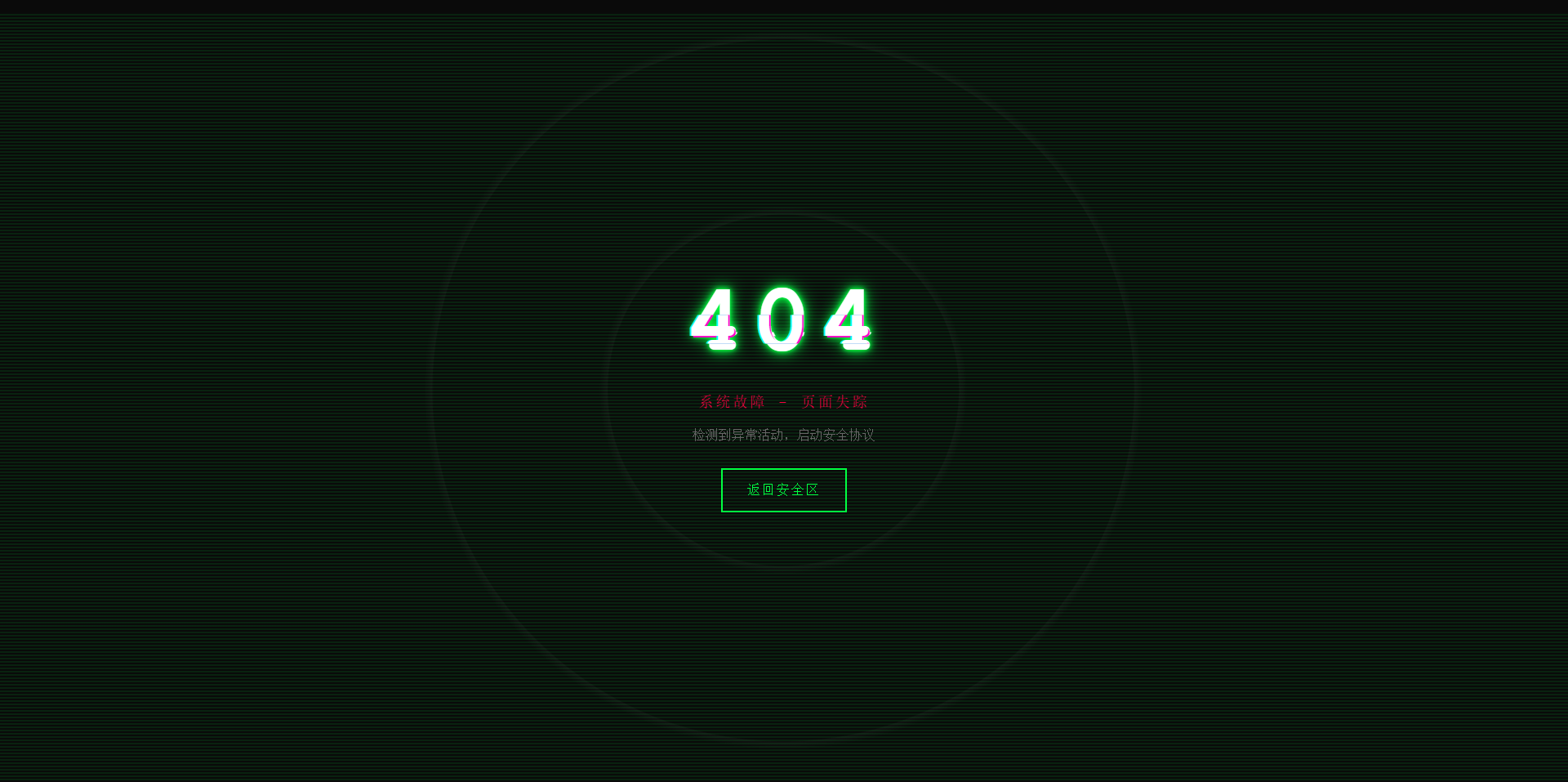
故障风格404页面 效果演示 点击查看在线演示 图片演示图片 完整代码 <!DOCTYPE html> <html lang="zh-CN"> <head> <meta charset="UTF-8"> <meta name="viewport" content="width=device-width, initial-scale=1.0"> <title>系统故障 - 404</title> <style> * { margin: 0; padding: 0; box-sizing: border-box; } body { background: #0a0a0a; font-family: 'Courier New', monospace; height: 100vh; overflow: hidden; display: flex; align-items: center; justify-content: center; color: #00ff41; cursor: crosshair; } .matrix-bg { position: absolute; width: 100%; height: 100%; opacity: 0.1; background: repeating-linear-gradient( 0deg, transparent, transparent 2px, #00ff41 2px, #00ff41 4px ); animation: scan 8s linear infinite; } @keyframes scan { 0% { transform: translateY(-100%); } 100% { transform: translateY(100%); } } .container { text-align: center; position: relative; z-index: 10; } .error-code { font-size: 120px; font-weight: bold; position: relative; display: inline-block; color: #fff; letter-spacing: 10px; animation: flicker 0.5s infinite alternate; } .error-code::before, .error-code::after { content: "404"; position: absolute; top: 0; left: 0; width: 100%; height: 100%; background: transparent; overflow: hidden; } .error-code::before { left: 2px; text-shadow: -2px 0 #ff00c8; animation: glitch-1 0.3s infinite ease-in-out alternate-reverse; clip: rect(44px, 450px, 56px, 0); } .error-code::after { left: -2px; text-shadow: -2px 0 #00ffff, 2px 2px #ff00c8; animation: glitch-2 0.3s infinite ease-in-out alternate-reverse; clip: rect(44px, 450px, 56px, 0); } @keyframes glitch-1 { 0% { clip: rect(31px, 9999px, 94px, 0); } 20% { clip: rect(112px, 9999px, 76px, 0); } 40% { clip: rect(85px, 9999px, 77px, 0); } 60% { clip: rect(62px, 9999px, 34px, 0); } 80% { clip: rect(97px, 9999px, 89px, 0); } 100% { clip: rect(53px, 9999px, 47px, 0); } } @keyframes glitch-2 { 0% { clip: rect(65px, 9999px, 119px, 0); } 20% { clip: rect(52px, 9999px, 74px, 0); } 40% { clip: rect(4px, 9999px, 78px, 0); } 60% { clip: rect(100px, 9999px, 19px, 0); } 80% { clip: rect(22px, 9999px, 98px, 0); } 100% { clip: rect(89px, 9999px, 113px, 0); } } @keyframes flicker { 0%, 19%, 21%, 23%, 25%, 54%, 56%, 100% { text-shadow: 0 0 5px #00ff41, 0 0 10px #00ff41, 0 0 20px #00ff41; } 20%, 22%, 24%, 55% { text-shadow: none; } } .error-message { font-size: 18px; color: #ff0040; margin: 20px 0; animation: pulse 2s infinite; text-transform: uppercase; letter-spacing: 3px; } @keyframes pulse { 0%, 100% { opacity: 1; } 50% { opacity: 0.3; } } .home-button { display: inline-block; padding: 15px 30px; margin-top: 30px; border: 2px solid #00ff41; background: transparent; color: #00ff41; text-decoration: none; text-transform: uppercase; letter-spacing: 2px; position: relative; overflow: hidden; transition: all 0.3s; font-family: 'Courier New', monospace; } .home-button:hover { color: #0a0a0a; box-shadow: 0 0 20px #00ff41; } .home-button::before { content: ''; position: absolute; top: 0; left: -100%; width: 100%; height: 100%; background: #00ff41; transition: left 0.3s; z-index: -1; } .home-button:hover::before { left: 0; } .noise { position: absolute; top: 0; left: 0; width: 100%; height: 100%; background: radial-gradient(circle, transparent 20%, rgba(255,255,255,0.03) 20.1%, transparent 21%), radial-gradient(circle, transparent 40%, rgba(255,255,255,0.03) 40.1%, transparent 41%); animation: noise 0.5s steps(10) infinite; pointer-events: none; } @keyframes noise { 0%, 100% { transform: translate(0); } 10% { transform: translate(-2px, -2px); } 20% { transform: translate(2px, 2px); } 30% { transform: translate(-2px, 2px); } 40% { transform: translate(2px, -2px); } 50% { transform: translate(-2px, -2px); } 60% { transform: translate(2px, 2px); } 70% { transform: translate(-2px, 2px); } 80% { transform: translate(2px, -2px); } 90% { transform: translate(-2px, -2px); } } .system-info { position: absolute; bottom: 20px; left: 20px; font-size: 12px; color: #666; font-family: monospace; animation: typewriter 3s steps(30) 1; } @keyframes typewriter { from { width: 0; } to { width: 100%; } } @media (max-width: 768px) { .error-code { font-size: 80px; } .error-message { font-size: 14px; } } </style> </head> <body> <div class="matrix-bg"></div> <div class="noise"></div> <div class="container"> <h1 class="error-code">404</h1> <p class="error-message">系统故障 - 页面失踪</p> <p style="color: #666; margin-top: 10px;">检测到异常活动,启动安全协议</p> <a href="https://www.khkj6.com" class="home-button">返回安全区</a> </div> <script> // 随机故障效果 setInterval(() => { document.body.style.filter = `hue-rotate(${Math.random() * 360}deg)`; setTimeout(() => { document.body.style.filter = 'none'; }, 100); }, 3000); // 鼠标追踪效果 document.addEventListener('mousemove', (e) => { const x = e.clientX / window.innerWidth; const y = e.clientY / window.innerHeight; const glitch = document.querySelector('.error-code'); glitch.style.transform = `translate(${x * 4}px, ${y * 4}px)`; }); </script> </body> </html>
-
夸克网盘python sdk库 Quark 网盘 Python 库使用文档 1. 配置与初始化 首先,准备 config.yaml 配置文件,内容示例: quark: cookie: "你的cookie"在代码中读取配置并初始化 Quark 会话: import yaml from Quark import QuarkSession with open("config.yaml", "r", encoding="utf-8") as f: config = yaml.safe_load(f) quark_conf = config["quark"] QuarkSession = QuarkSession(cookie=quark_conf["cookie"])2. 检查 Cookie 是否有效 status, result = QuarkSession.get_user_info()3. 文件管理 3.1 创建文件管理实例 from Quark import QuarkFileManager quark_file = QuarkFileManager(session=QuarkSession)3.2 获取文件夹内列表 status, result = quark_file.get_lists( pdir_fid="文件夹ID", page=1, size=10, sort_by="file_name", sort_order="asc" )3.3 移动文件/文件夹 status, result = quark_file.move_file( src_fids=["文件ID1", "文件ID2"], dst_pdir_fid="目标文件夹ID" ) # 返回示例 # True {"task_id": "...", "finish": true}3.4 重命名文件/文件夹 status, result = quark_file.rename_file("文件ID", new_name="新文件名.png") # 返回示例 # True {}3.5 删除文件/文件夹 status, result = quark_file.remove_file(fids=["文件ID1", "文件ID2"]) # 返回示例 # True {"task_id": "...", "finish": false}4. 文件夹管理 4.1 创建文件夹管理实例 from Quark import QuarkFolderManager quark_folder = QuarkFolderManager(session=QuarkSession)4.2 创建文件夹 status, result = quark_folder.create_folder( folder_name="创建测试", pdir_fid="父文件夹ID" ) # 返回示例 # True {"finish": true, "fid": "..."}5. 分享转存 5.1 创建转存实例 from Quark import QuarkSaveManager quark_save = QuarkSaveManager(session=QuarkSession)5.2 获取分享信息 status, result = quark_save.get_share_info(text="分享文本") # 返回示例 # True {"pwd_id": "...", "passcode": "..."}5.3 获取分享链接 stoken status, result = quark_save.get_share_stoken(pwd_id="...", passcode="...") # 返回示例 # True {"stoken": "...", ...}5.4 获取分享链接文件列表 status, result = quark_save.get_share_list( pwd_id="...", stoken="...", pdir_fid="0", # 根目录 page=1, size=10, sort_by="file_name", sort_order="asc" )5.5 转存全部/部分文件到网盘 全部转存: status, result = quark_save.save_share_file( pwd_id="...", stoken="...", to_pdir_fid="目标文件夹ID", pdir_save_all=True ) # 返回示例 # True {"task_id": "..."}部分转存: status, result = quark_save.save_share_file( pwd_id="...", stoken="...", to_pdir_fid="目标文件夹ID", fid_list=["文件ID1", "文件ID2"], share_token_list=["token1", "token2"], pdir_save_all=False ) # 返回示例 # True {"task_id": "...", ...}6. 分享链接管理 6.1 创建分享链接实例 from Quark import QuarkShareManager quark_share = QuarkShareManager(session=QuarkSession)6.2 创建分享链接 status, result = quark_share.create_share( fid_list=["文件ID1", "文件ID2", "文件ID3"], title="分享标题", expired_type=1, # 1=永久,2=7天等 url_type=1 # 1=公开,2=私密等 ) # 返回示例 # True { # "task_id": "2b6a31c873dc4a1ba72c6825d5199351", # "task_sync": false # } fid_list:要分享的文件/文件夹ID列表 title:分享标题 expired_type:过期类型(如1为永久,2为7天等) url_type:链接类型(如1为公开,2为私密等) 创建分享后会返回 task_id,可用任务管理接口查询进度,分享成功后可通过 get_share_info 获取分享链接等详细信息。6.3 获取分享链接信息 status, result = quark_share.get_share_info(share_id="分享ID") # 返回示例 # True {"title": "...", "share_url": "...", ...}7. 任务管理 7.1 创建任务管理实例 from Quark import QuarkTaskManager quark_task = QuarkTaskManager(session=QuarkSession)7.2 获取任务状态 status, result = quark_task.get_task_status(task_id="任务ID", retry_index=0) # status=0 未完成,status=2 成功 # share_id 可用于获取分享链接信息8. 文件上传 8.1 创建上传实例 from Quark import QuarkUploadManager quark_upload = QuarkUploadManager(session=QuarkSession)8.2 上传文件 def progress(percent): print(f"上传进度: {percent}%") status, result = quark_upload.upload_file( file_path="本地文件路径", file_name="上传文件名.zip", pdir_fid="目标文件夹ID", progress_callback=progress ) # 返回示例(云端存在同文件): # True {"finish": true, "fid": "...", ...} # 返回示例(云端不存在同文件): # True {"task_id": "...", "finish": true, "fid": "...", ...}9. 下载文件 9.1 创建下载实例 from Quark import QuarkDownManager quark_down = QuarkDownManager(session=QuarkSession)9.2 获取下载链接 fid_list = ["078d0433bd65406e83c43538a36f8ba8"] status, result = quark_down.get_download_url(fid_list=fid_list) # 返回示例: # 说明:下载文件需要携带cookie # True { # "file": { # "fid": "078d0433bd65406e83c43538a36f8ba8", # "file_name": "爱德华的小说 - 蒋蒋、朱贺.flac", # "size": 28384894, # "format_type": "audio/x-flac", # "download_url": "https://dl-pc-zb-cf.pds.quark.cn/..." # }, # "cookie": "cookie字符串" # }10. 打印输出 所有接口返回均为 (status, result),可直接打印: import json print(status, json.dumps(result, indent=4))11. 其他说明 各接口参数请参考注释及返回示例。 任务型操作(如移动、删除、转存、分享等)返回 task_id 后,可用任务管理接口查询进度。 分享相关操作需先获取 pwd_id、stoken 等参数。 如需更详细的参数说明或扩展用法,请参考源码或补充提问。 代码下载 cloud_driver_sdk 参考文献 openList
-
邮箱验证码html模板 适配大屏和小屏 问题:fa图标在邮件中不显示,请自行替换成图片 演示图片 大屏演示图片 代码 <!DOCTYPE html> <html lang="zh-CN"> <head> <meta charset="UTF-8"> <meta name="viewport" content="width=device-width, initial-scale=1.0"> <title>用户注册 - Xcode验证码</title> <link rel="stylesheet" href="https://cdnjs.cloudflare.com/ajax/libs/font-awesome/6.4.0/css/all.min.css"> <style> /* 基础样式重置 */ * { margin: 0; padding: 0; box-sizing: border-box; font-family: 'Segoe UI', 'PingFang SC', 'Microsoft YaHei', sans-serif; } body { background: linear-gradient(135deg, #f5f7fa 0%, #e4edfb 100%); min-height: 100vh; display: flex; justify-content: center; align-items: center; padding: 30px; letter-spacing: 0.5px; } /* 亮色毛玻璃效果容器 */ .glass-container { background: rgba(255, 255, 255, 0.85); backdrop-filter: blur(12px); -webkit-backdrop-filter: blur(12px); border-radius: 24px; border: 1px solid rgba(255, 255, 255, 0.8); box-shadow: 0 12px 40px rgba(98, 131, 252, 0.15), 0 4px 20px rgba(98, 131, 252, 0.08); width: 100%; max-width: 780px; overflow: hidden; padding: 50px 40px; position: relative; transition: all 0.4s ease; } .glass-container:hover { box-shadow: 0 15px 50px rgba(98, 131, 252, 0.2), 0 6px 25px rgba(98, 131, 252, 0.12); transform: translateY(-5px); } /* 装饰元素 */ .decoration { position: absolute; border-radius: 50%; background: linear-gradient(135deg, rgba(67, 203, 255, 0.15) 0%, rgba(151, 8, 204, 0.1) 100%); z-index: -1; opacity: 0.7; } .decoration-1 { width: 180px; height: 180px; top: -60px; left: -60px; animation: float 8s infinite ease-in-out; } .decoration-2 { width: 120px; height: 120px; bottom: 30px; right: 30px; animation: float 10s infinite ease-in-out; animation-delay: 1s; } .decoration-3 { width: 90px; height: 90px; top: 30%; right: -30px; animation: float 12s infinite ease-in-out; animation-delay: 2s; } @keyframes float { 0%, 100% { transform: translate(0, 0); } 25% { transform: translate(-10px, 15px); } 50% { transform: translate(5px, -10px); } 75% { transform: translate(10px, 5px); } } /* 头部样式 */ .header { text-align: center; margin-bottom: 40px; position: relative; } .logo { display: flex; justify-content: center; align-items: center; margin-bottom: 25px; } .logo-icon { width: 65px; height: 65px; background: linear-gradient(135deg, #43CBFF 0%, #9708CC 100%); border-radius: 18px; display: flex; justify-content: center; align-items: center; margin-right: 18px; box-shadow: 0 8px 20px rgba(151, 8, 204, 0.25); transition: all 0.3s ease; } .logo-icon:hover { transform: rotate(10deg) scale(1.05); } .logo-icon img { margin: 20%; width: 60%; height: 60%; filter: drop-shadow(0 2px 4px rgba(0, 0, 0, 0.1)); } .logo-text { font-size: 32px; font-weight: 700; background: linear-gradient(135deg, #2c3e50 0%, #4a6491 100%); -webkit-background-clip: text; background-clip: text; color: transparent; letter-spacing: 1.2px; } .title { font-size: 28px; font-weight: 700; color: #2c3e50; margin-bottom: 30px; position: relative; display: inline-block; } .title::after { content: ""; position: absolute; bottom: -8px; left: 50%; transform: translateX(-50%); width: 60px; height: 4px; background: linear-gradient(135deg, #43CBFF 0%, #9708CC 100%); border-radius: 2px; } .subtitle { font-size: 18px; color: #5a6a85; line-height: 1.7; margin: 0 auto; /* max-width: 600px; */ padding: 0 20px; } /* 验证码区域 - 亮色系突出 */ .verification-section { background: rgba(255, 255, 255, 0.95); border-radius: 20px; padding: 40px 30px; margin: 40px 0; text-align: center; backdrop-filter: blur(5px); -webkit-backdrop-filter: blur(5px); border: 1px solid rgba(255, 255, 255, 0.9); box-shadow: 0 10px 30px rgba(98, 131, 252, 0.1), inset 0 0 15px rgba(151, 8, 204, 0.05); position: relative; overflow: hidden; transition: all 0.3s ease; } .verification-section::before { content: ""; position: absolute; top: 0; left: 0; right: 0; height: 5px; background: linear-gradient(135deg, #43CBFF 0%, #9708CC 100%); } .verification-section:hover { transform: translateY(-5px); box-shadow: 0 15px 40px rgba(98, 131, 252, 0.15), inset 0 0 20px rgba(151, 8, 204, 0.08); } .verification-label { font-size: 18px; color: #5a6a85; margin-bottom: 20px; font-weight: 500; } .verification-code { width: 100%; font-size: 56px; font-weight: 800; letter-spacing: 10px; background: linear-gradient(135deg, #2c3e50 0%, #4a6491 100%); -webkit-background-clip: text; background-clip: text; color: transparent; padding: 20px 40px; border-radius: 16px; margin: 20px 0; display: inline-block; box-shadow: inset 0 0 25px rgba(98, 131, 252, 0.1), 0 8px 20px rgba(98, 131, 252, 0.1); border: 1px solid rgba(98, 131, 252, 0.15); text-shadow: 0 2px 4px rgba(0, 0, 0, 0.05); transition: all 0.3s ease; } .verification-code:hover { letter-spacing: 12px; box-shadow: inset 0 0 30px rgba(98, 131, 252, 0.15), 0 10px 25px rgba(98, 131, 252, 0.15); } .expiration { font-size: 16px; color: #7a8ca5; margin-top: 20px; display: flex; align-items: center; justify-content: center; gap: 10px; } .expiration i { color: #ff6b6b; } /* 操作区域 */ .action-section { text-align: center; margin-top: 50px; } .action-button { background: linear-gradient(135deg, #43CBFF 0%, #9708CC 100%); color: white; border: none; padding: 18px 50px; font-size: 20px; font-weight: 600; border-radius: 60px; cursor: pointer; transition: all 0.3s ease; box-shadow: 0 8px 25px rgba(151, 8, 204, 0.3); text-decoration: none; display: inline-flex; align-items: center; gap: 12px; position: relative; overflow: hidden; } .action-button::before { content: ""; position: absolute; top: 0; left: -100%; width: 100%; height: 100%; background: linear-gradient(90deg, transparent, rgba(255, 255, 255, 0.3), transparent); transition: 0.5s; } .action-button:hover::before { left: 100%; } .action-button:hover { transform: translateY(-5px) scale(1.05); box-shadow: 0 12px 35px rgba(151, 8, 204, 0.4); } .action-button:active { transform: translateY(0) scale(0.98); } .copyright-link { color: #7a8ca5; text-decoration: none; transition: all 0.3s ease; } .copyright-link:hover { color: #9708CC; text-decoration: underline; } /* 底部信息 */ .footer { text-align: center; margin-top: 50px; color: #7a8ca5; font-size: 15px; line-height: 1.7; } .footer p { margin-bottom: 8px; } .social-icons { display: flex; justify-content: center; gap: 20px; margin-top: 25px; } .social-icons a { width: 45px; height: 45px; border-radius: 50%; background: rgba(98, 131, 252, 0.1); display: flex; align-items: center; justify-content: center; color: #5a6a85; font-size: 18px; transition: all 0.3s ease; } .social-icons a:hover { background: linear-gradient(135deg, #43CBFF 0%, #9708CC 100%); color: white; transform: translateY(-5px); } /* 响应式设计 */ @media (max-width: 768px) { .glass-container { padding: 40px 30px; max-width: 100%; } .logo-icon { width: 55px; height: 55px; } .logo-text { font-size: 28px; } .title { font-size: 24px; } .subtitle { font-size: 16px; } .verification-section { padding: 30px 20px; } .verification-code { font-size: 42px; padding: 15px 30px; letter-spacing: 8px; } .action-button { padding: 16px 40px; font-size: 18px; } } @media (max-width: 480px) { .glass-container { padding: 30px 20px; } .logo { flex-direction: column; gap: 15px; } .logo-icon { margin-right: 0; } .logo-text { font-size: 26px; } .title { font-size: 22px; } .verification-section { padding: 25px 15px; } .verification-code { font-size: 36px; padding: 12px 20px; letter-spacing: 6px; } .action-button { padding: 14px 35px; font-size: 16px; } } </style> </head> <body> <div class="glass-container"> <!-- 装饰元素 --> <div class="decoration decoration-1"></div> <div class="decoration decoration-2"></div> <div class="decoration decoration-3"></div> <div class="header"> <div class="logo"> <div class="logo-icon"> <img src="http://xma.dev.khkj.xyz/static/images/logo.png" alt="Xcode Logo"> </div> <div class="logo-text">Xcode - X码</div> </div> <h1 class="title">用户注册验证码</h1> <p class="subtitle">感谢您注册Xcode平台!请使用以下验证码完成账户验证,验证码将在 <text style="color:red;">6</text> 分钟后失效。</p> </div> <div class="verification-section"> <div class="verification-label">您的验证码</div> <div class="verification-code">843721</div> <div class="expiration"> <i class="fas fa-clock"></i>有效期至: 2025年6月27日 15:30 </div> </div> <div class="action-section"> <a href="https://xma.run" class="action-button"> <i class="fas fa-arrow-right"></i>前往 X码 平台 </a> </div> <div class="footer"> <p>此邮件由系统自动发送,请勿直接回复</p> <p>如果您未进行此操作,请忽略此邮件</p> <p>© 2025 <a href="https://xma.run" class="copyright-link">Xcode - X码</a> 版权所有</p> <div class="social-icons"> <a href="#"><i class="fab fa-weixin"></i></a> <a href="#"><i class="fab fa-qq"></i></a> <a href="#"><i class="fab fa-weibo"></i></a> <a href="#"><i class="fab fa-github"></i></a> </div> </div> </div> <script> // 添加简单的交互效果 document.addEventListener('DOMContentLoaded', function() { const verificationCode = document.querySelector('.verification-code'); // 添加点击复制功能 verificationCode.addEventListener('click', function() { const text = this.innerText; const tempInput = document.createElement('input'); tempInput.value = text; document.body.appendChild(tempInput); tempInput.select(); document.execCommand('copy'); document.body.removeChild(tempInput); alert("复制成功"); }); }); </script> </body> </html>